 QuickVlog
Just shoot.
Your Vlog is ready.
No editing. A filming guide tells you what to film next, so your memories are ready the moment you stop recording.
One-time purchase, no subscription. Includes six filming guides, film without a guide, and HD/4K export on supported devices.
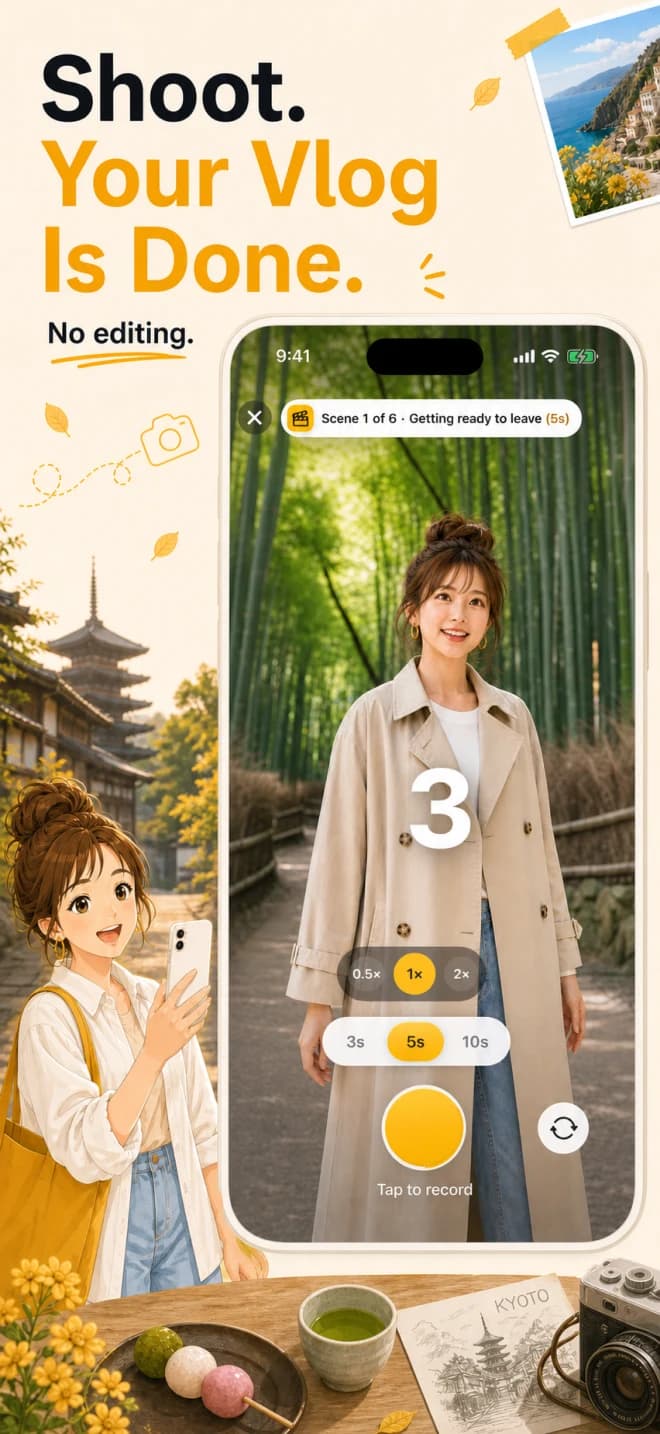
You shoot so much, but later you've no energy to edit — so it all just sits in your camera roll.
With QuickVlog, your Vlog is finished the moment you stop filming — with zero editing.
No guesswork
A filming guide tells you what to film next. Just shoot in order — no thinking required.
No editing
Short clips merge into one automatically. Even the export is handled for you.
Beautifully kept
Balance narration, original audio and BGM, then keep the day's mood with a date caption.
A filming guide tells you
what to shoot next.
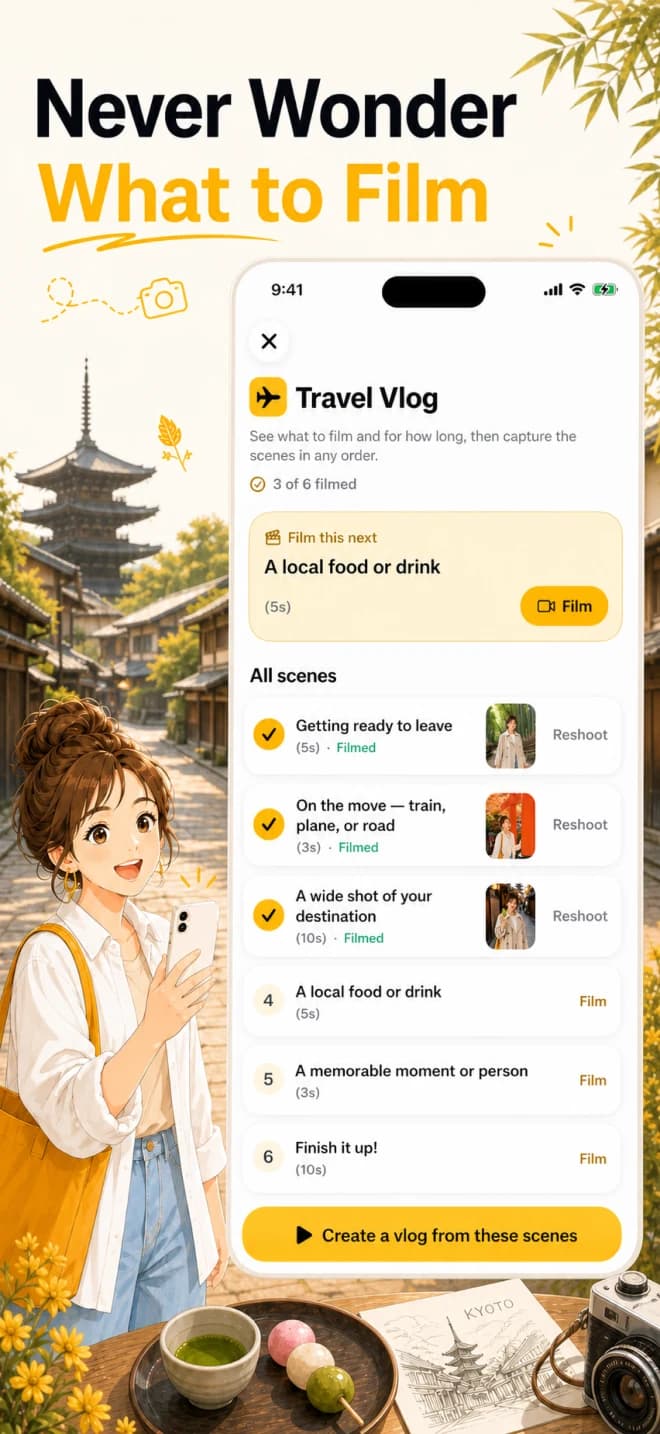
Choose from six filming guides for travel, everyday life, cafés and more. Follow each scene in order, or film without a guide when you want to improvise.
- See shot vs. unshot at a glance, and re-shoot freely
- Resume an in-progress vlog with reminders and Home Screen or Lock Screen widgets
Shoot in a snap,
merged into one.
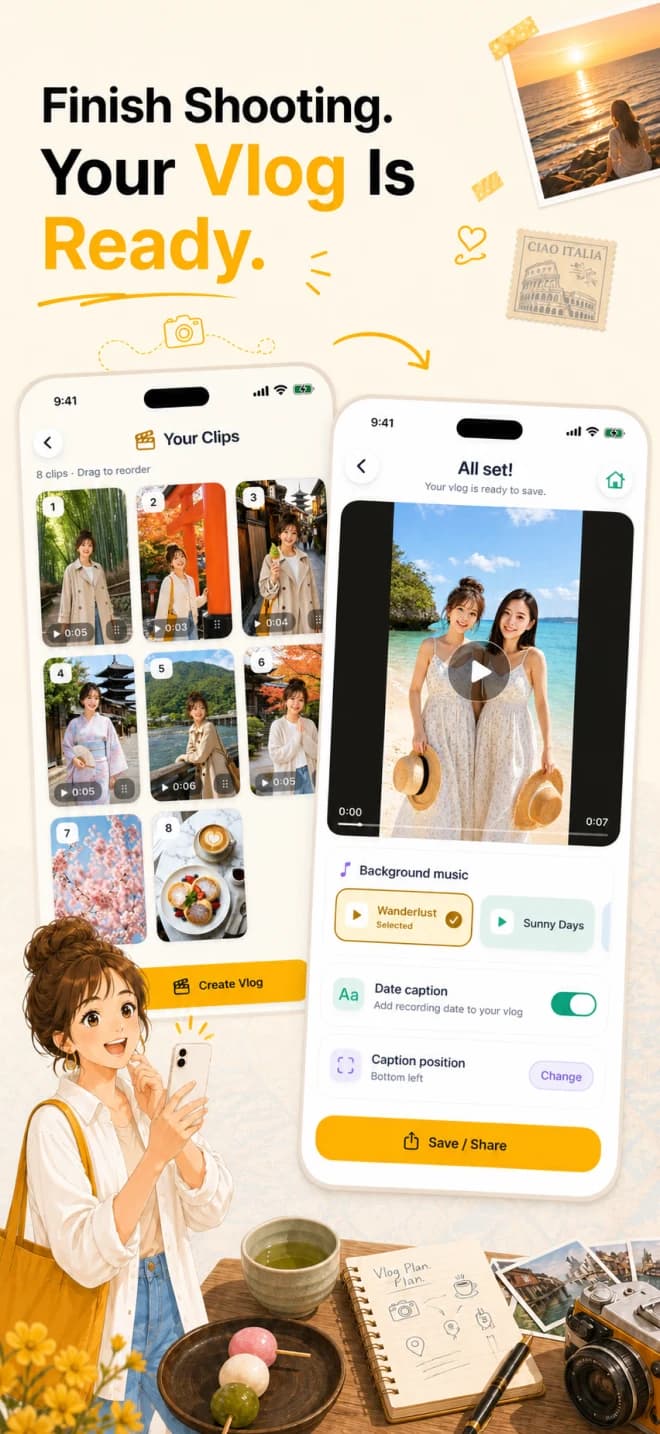
Pick 3, 5, or 10 seconds and shoot — recording stops automatically and the extra head and tail are trimmed. Clips merge in shooting order. On supported devices, choose 0.5x, 1x or 2x capture.
- Keep adding clips to the same in-progress vlog and reorder them by drag
- Stabilization, Auto FPS and wind-noise reduction in supported environments
- Capture, merge and export — all on your device
Layer the sound,
keep the moment.
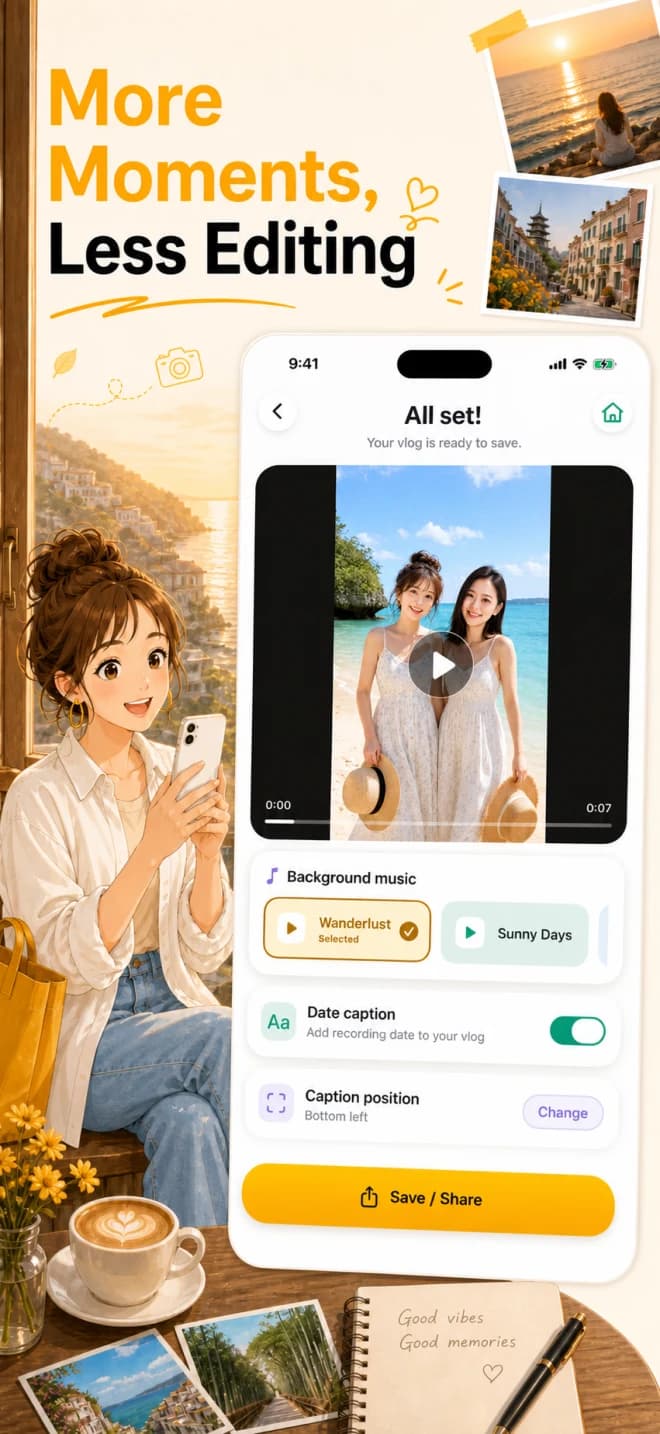
Record narration while watching your finished Vlog. Smartly balance narration, original audio and BGM, then add a date caption before saving.
- 9 BGM tracks, HD/4K export on supported devices, unlimited exports and no watermark
- Share via the share sheet — your videos are not uploaded to a server
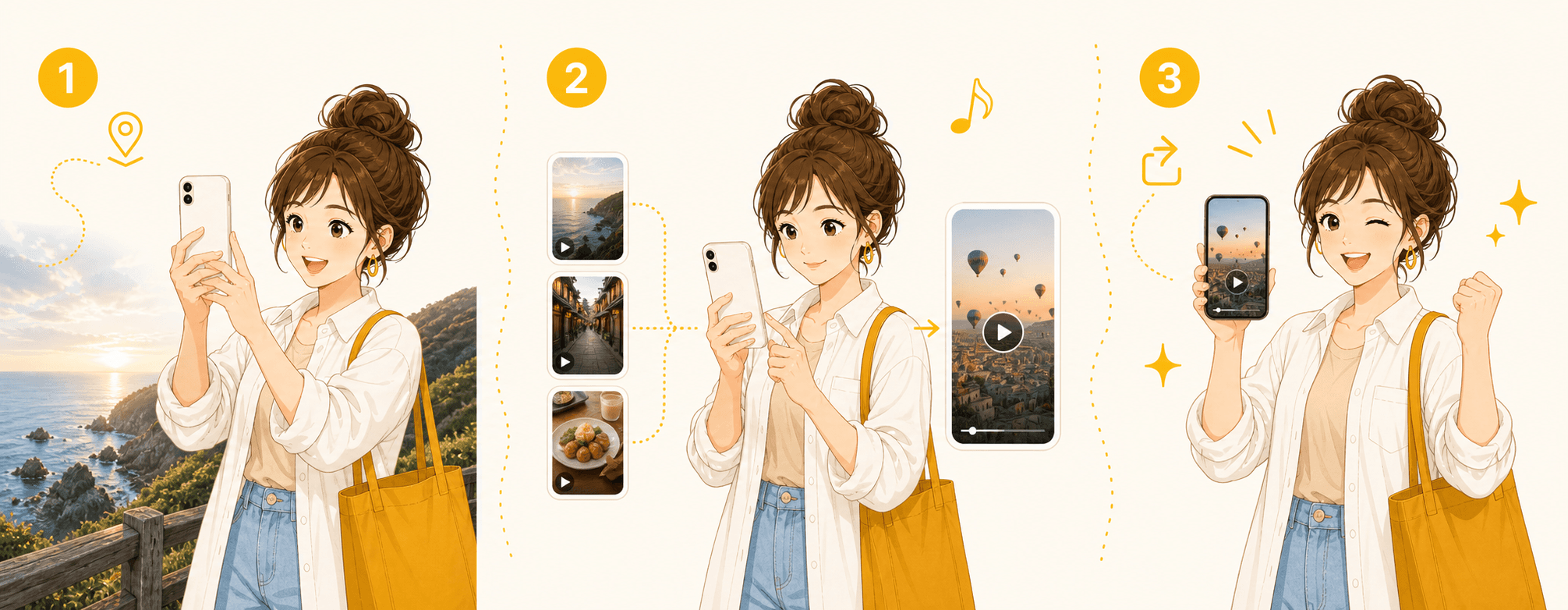
Just three easy steps.
Pick a filming guide and shoot as guided. The app finishes it into a single Vlog.
Pick a filming guide
Choose from six filming guides for travel, everyday life, cafés and more — or film without a guide.
Shoot as guided
Film 3, 5 or 10-second clips. Resume the same in-progress vlog when you like, with automatic head and tail trimming.
Done automatically
When you finish, clips merge into one. Add narration, BGM and the date, then share on the spot.
Memories like these, kept.
Trips, everyday life, cafés — all into lovely Vlogs.





QuickVlog is now available.
Just shoot, and your memories become a finished Vlog.
Download on the App StoreOne-time purchase, no subscription. All features are included.